Control Needs
What are Control Needs in QuartzIQ?
Control Needs are an optional object in QuartzIQ:
- They are a simple plain-english statement which explain the need within a Perimeter to control something (whether to protect from a risk or to safeguard reaching goals & objectives).
- They bring coherence and logic when creating/evaluating Controls in a Perimeter in terms of their design and implementation by answering these questions:
- "What do we need to protect ourselves?"
- "Are we missing some Controls?"
- "Is this Control useful or still useful?"
- They can be thought of as the mirror of a Risk/Threat statement. For example:
- Risk/Threat: Risk of ransomware affecting core operating systems
- Control Need: Ensure up-to-date industry-standard malware/antivirus protection is in place on workstations and servers
- They should NOT answer the specifics of how a Control should be designed to answer it in terms of implementation (Who?, How? - Specific Procedure, In which application/system?, Where?, When? - Frequency, ...)
- Control Needs allow to organize the Controls under each Perimeter by linking them to one or more Control Needs that they help address.
- Control Needs are created and reside within a Perimeter and are not shared between perimeters.
- Only Controls of the same Perimeter can be linked to Control Needs of the same Perimeter.
- A Control Need can be answered by one or more Controls which address its need statement.
- A Control may address/cover several Control Needs and it is thus possible to multi-map Controls and Control Needs.
Defining Control Needs is a best practice in the Internal Control world. It brings more credibility to Internal Controls in an organization as it tells that Controls are designed according to actual needs and helps identify gaps in coverage and organize/report/search for Control information.
Users whose subscription includes the Enterprise Risk Management module can use the Risks & Controls Matrix feature to map enterprise risks to Perimeters and Create/Link/Line Up their Control Needs against the Risks they help protect, thus following Auditing/Enterprise Risk/Internal Control Best Practices.
Examples of Control Needs and Controls addressing them
-
Control Need: Ensure sales transactions are only made with clients having an up-to-date KYC
- Control A: Automatic blocking of sales transaction in Application ABC for clients with expired KYC in CRM
- Control B: Client onboarding KYC questionnaire in CRM completed by all sales representatives are reviewed by Sales Compliance Manager.
-
Control Need: Ensure payments are only issued for approved vendors and invoices
- Control A: Before a vendor is added on the centrally-managed Vendor Master File in ERP Software XYZ, it requires in its workflow to have been approved by Procurement Manager after having reviewed the Know-Your-Supplier and the Supplier Onboarding Form, as well as the approval of the hierarchy of the Business Requester.
- Control B: Automatic Blocking in ERP to enter an invoice if the vendor is not on the Authorized Vendor Master File
- Control C: 3-way match mandatory in ERP prior to authorizing invoice payment by making sure a duly approved purchase requisition/order exists, a goods receipt/timesheet/other form of confirmation that goods/services were received, and that the details of these two match the invoice received.
-
Control Need: Ensure access to applications and resources is duly approved and on a need-to-have basis
- Control A: Mandatory Access Request Approval by System Owner and Direct Supervisor in IT Service Desk Ticketing Application
- Control B: Automated granting of permissions in Active Directory which blocks Service Desk from manually adding/removing permissions for users and automatically provisions/removes permissions once an access request has been approved.
-
Control Need: Ensure salary increases are duly approved
- Control A: Annual Review of Salary Increases by Management Committee
- Control B: 4-Eyes approval in HR System XYZ which requires the HR Director to validate salary increase made by Payroll Manager before payroll can be processed
View all Control Needs
To view Control Needs, click on Control Management / Control Needs.
Accessing Control Needs
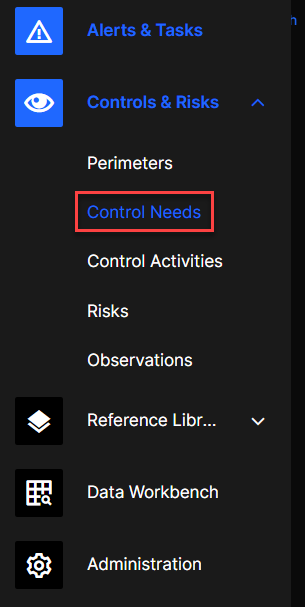
On the Control Needs page you can see all the Control Needs of the Perimeter you are involved in.
Control Needs Search
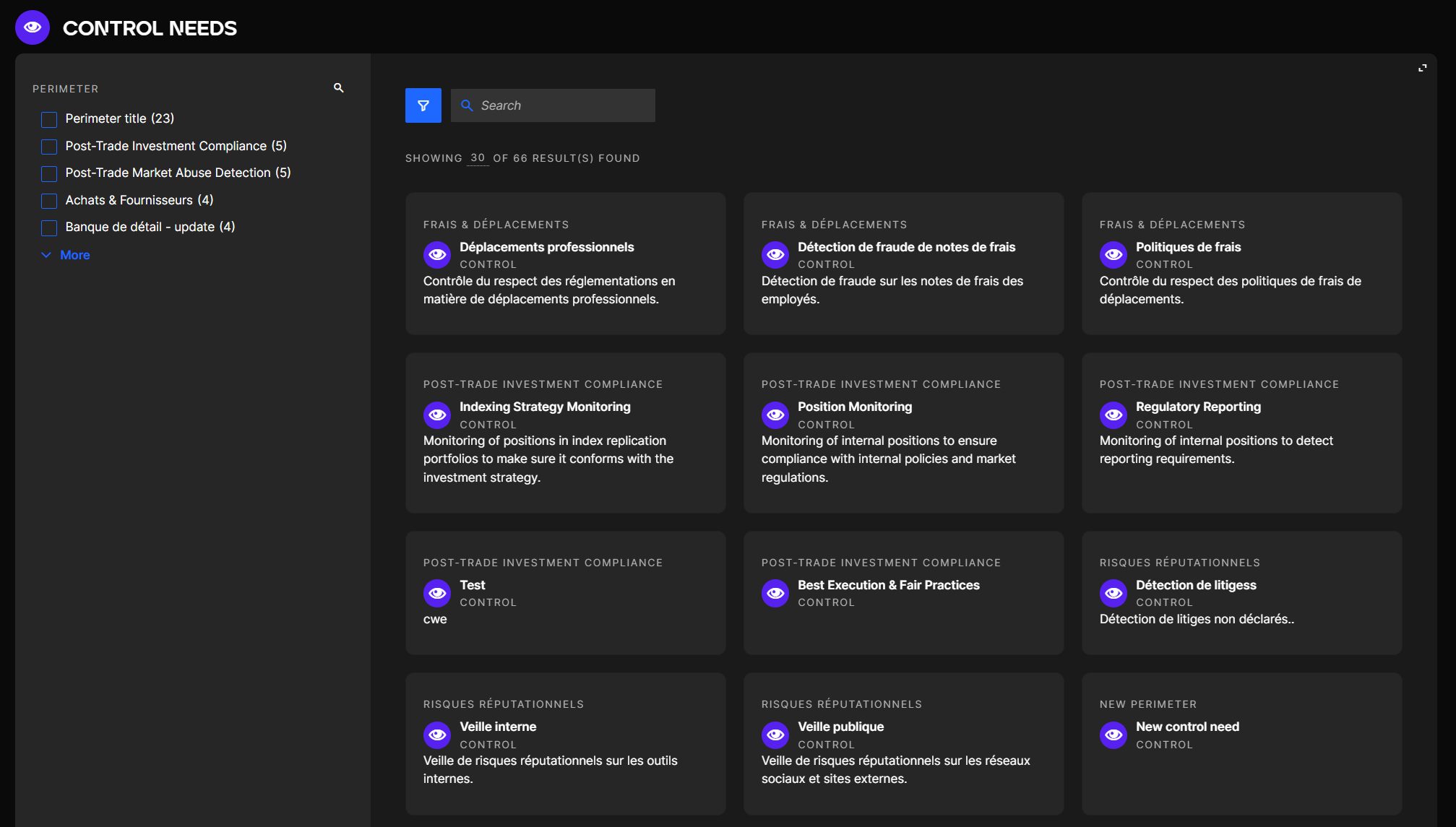
You can look for a specific Control Need with keywords by using the search bar or by using the Perimeter filter on the left.
Creating and Viewing Control Needs
In order to create or modify Control Needs in QuartzIQ, you must have the Owner or Delegate role on the Perimeter.
Go to the Control Needs tab of a Perimeter page:
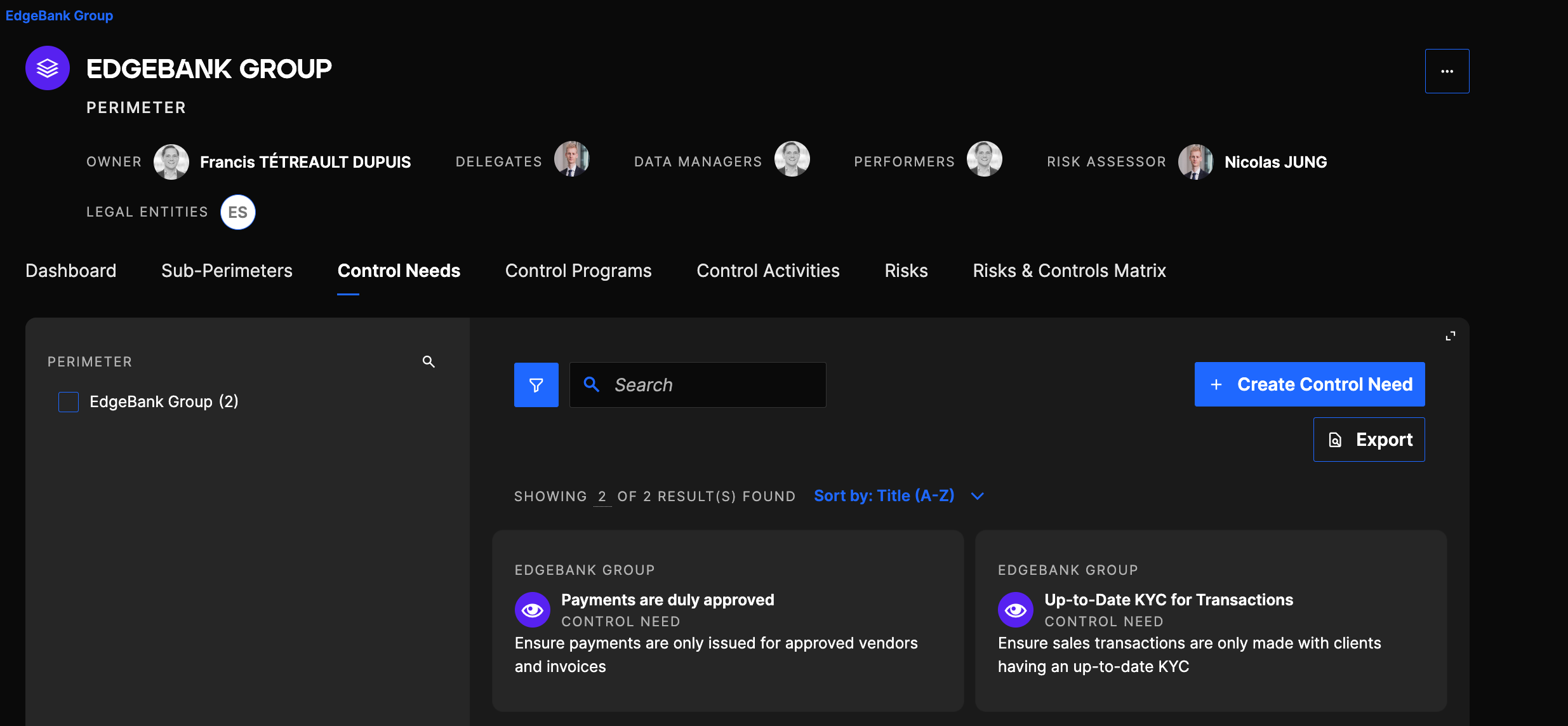
Click on the Create Control Need button.
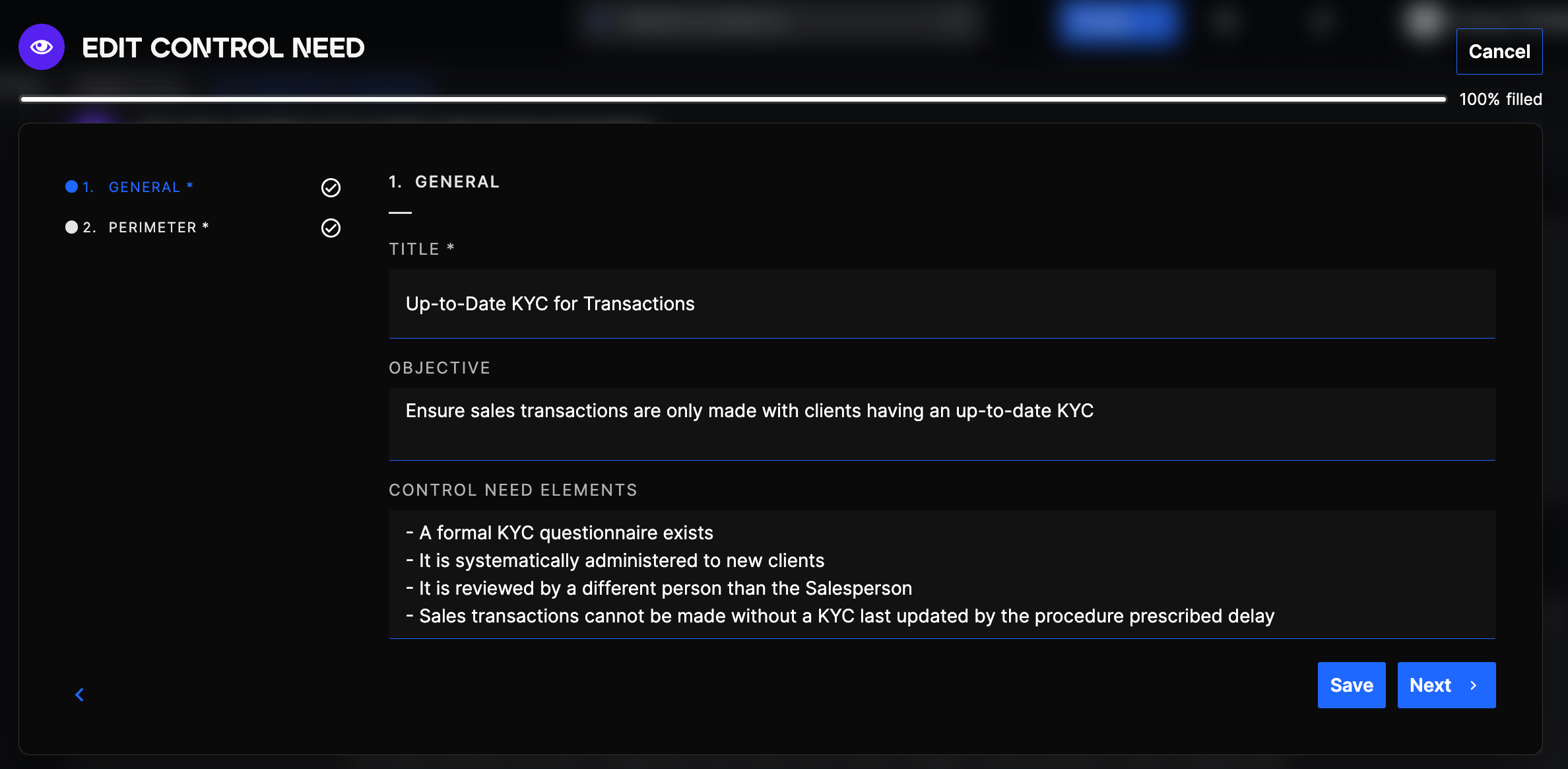
Control Needs are composed of 3 fields (2 are optional). You can enter:
- A short Title
- An Objective which is the actual Control Need Statement (Optional/Recommended)
- You can further specify the expectations in terms of Control Need by listing Control Need Elements which can help colleagues when later creating/documenting Controls to answer that Control Need, as well as Control Testing Teams/Auditors if/when assessing/testing your Controls (Optional/Recommended)
The title of a Control Need can be changed after you have created it. However, it is not possible to move the Control Need to another Perimeter after its creation.
View a Control Need
If you want to view a Control Need, click on the Control Need card.
Clicking on a Control Need card
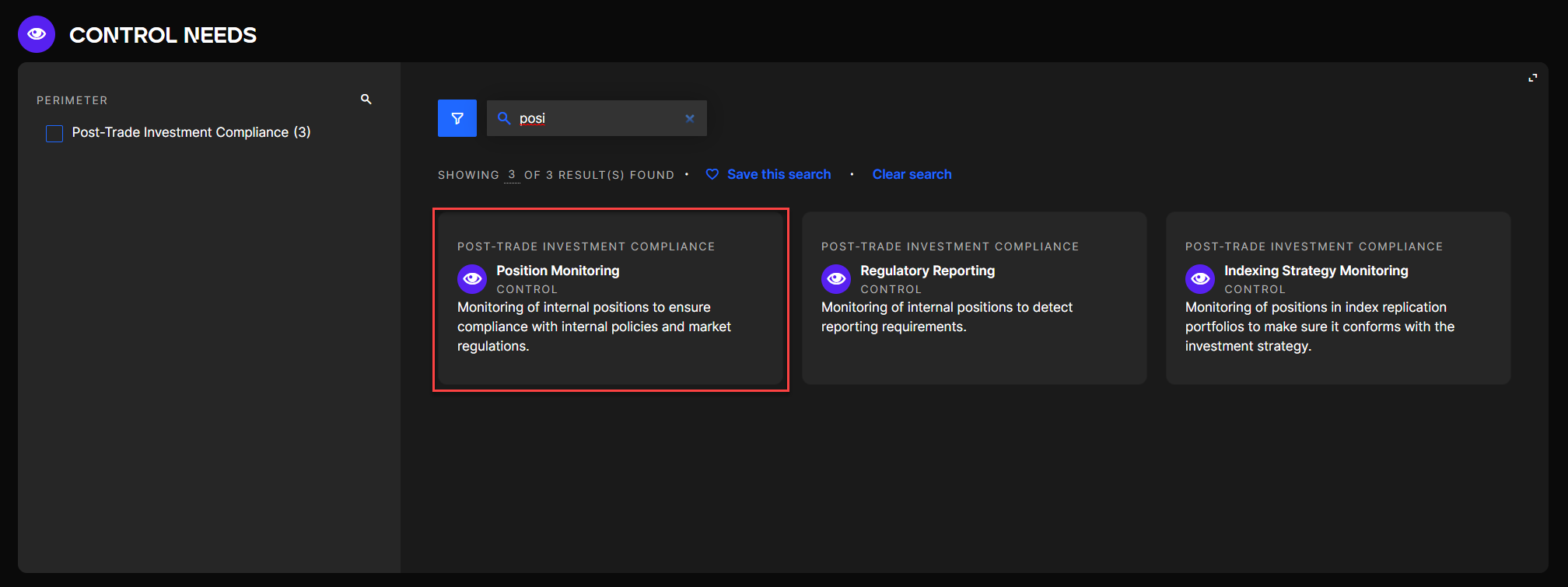
Once in a Control Need you can access 2 tabs.
Accessible tabs in a Control Need
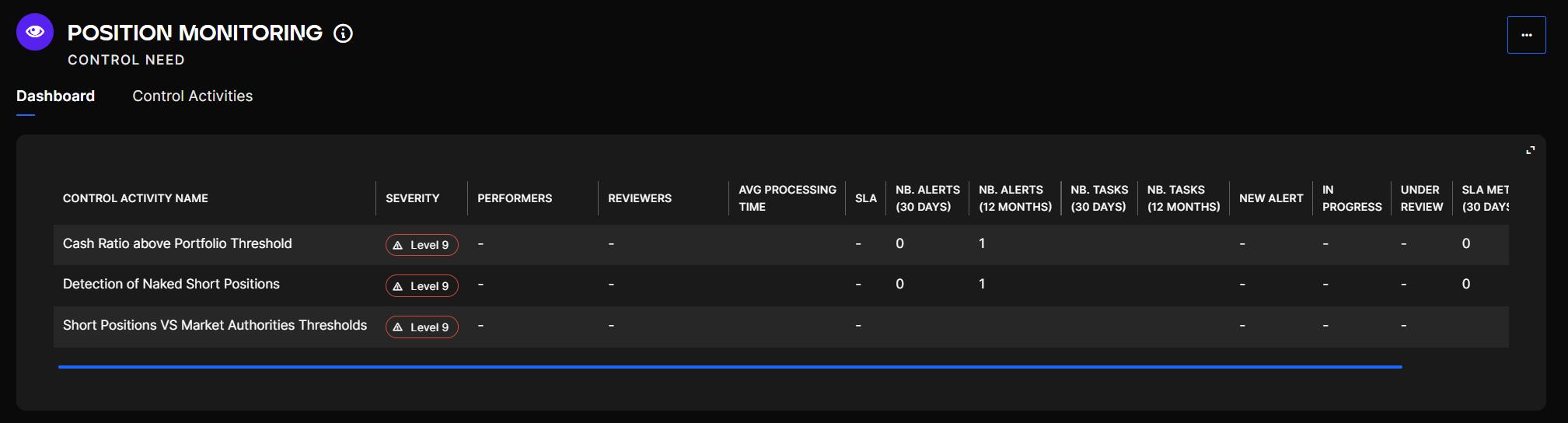
The Dashboard gives statistics and important information on the various Control Activities contained in the Control Need.
In the last tab you can see the list of Control Activities the Control Need contains. To have more information on the creation of Control Activities, go to the Control Activities page.
Linking Controls to the Control Needs they address
Once you have created your Control Needs and your Controls within a Perimeter, you can link Controls to the Control Needs they address. This mapping helps you visualize which Controls cover which needs and identify any gaps in your control coverage.
You can manage these links from the Control Need page or from the Risks & Controls Matrix in the Perimeter.